Screenshots Features How It Works FAQ ▶ Install from Google Play
🔒 Free on Google Play

Stop opening distracting apps without thinking.

FocusPort blocks distracting apps until your session ends — so you stop escaping into scrolling automatically.

No bypasses. No "5 more minutes." No fake discipline.

Download on Google Play See the app →
100%
Distractions Blocked
0
Easy Bypasses
Android
Native App
SEE THE APP.

Here's exactly what FocusPort looks like — from setup to locked session to tracking.

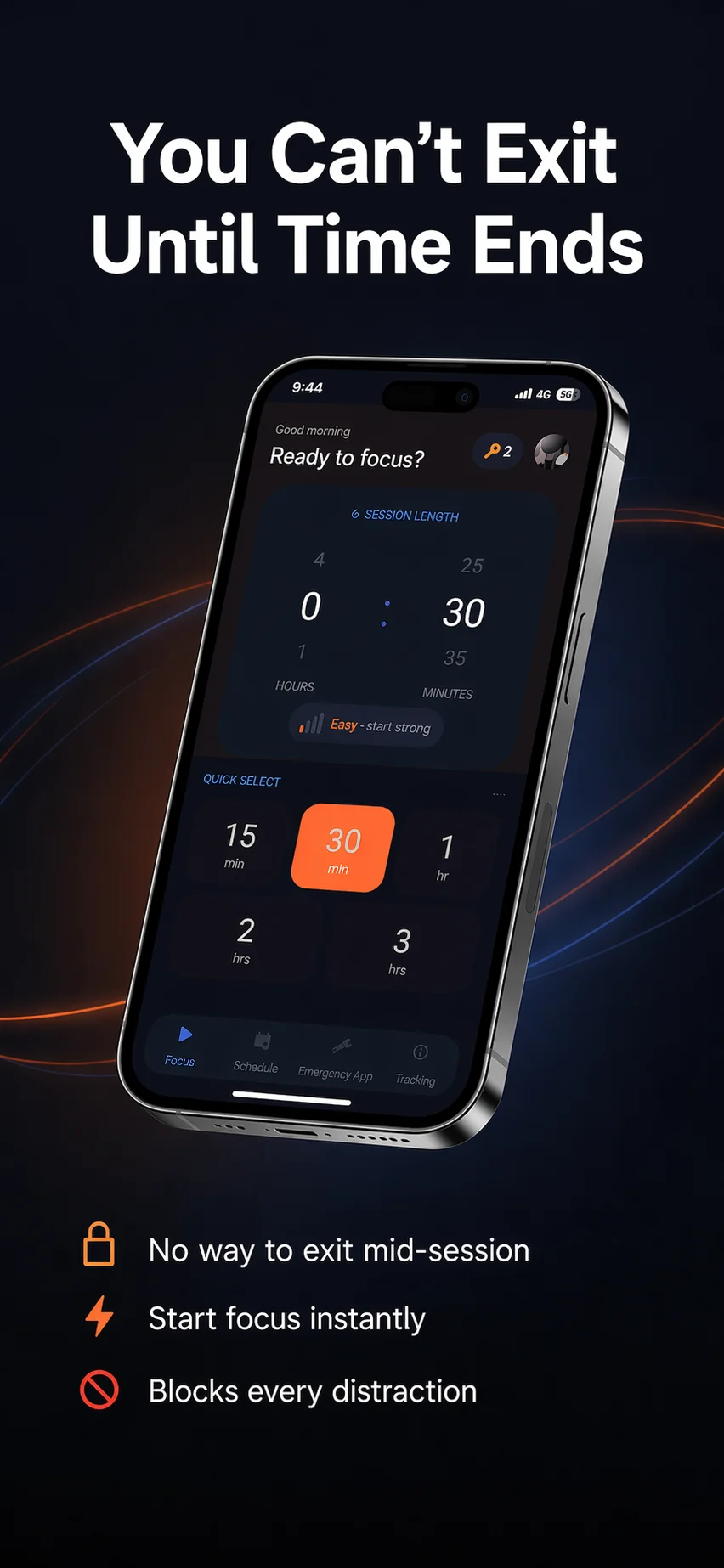
FocusPort home screen - set session length and start focusing
Home — Set Your Session
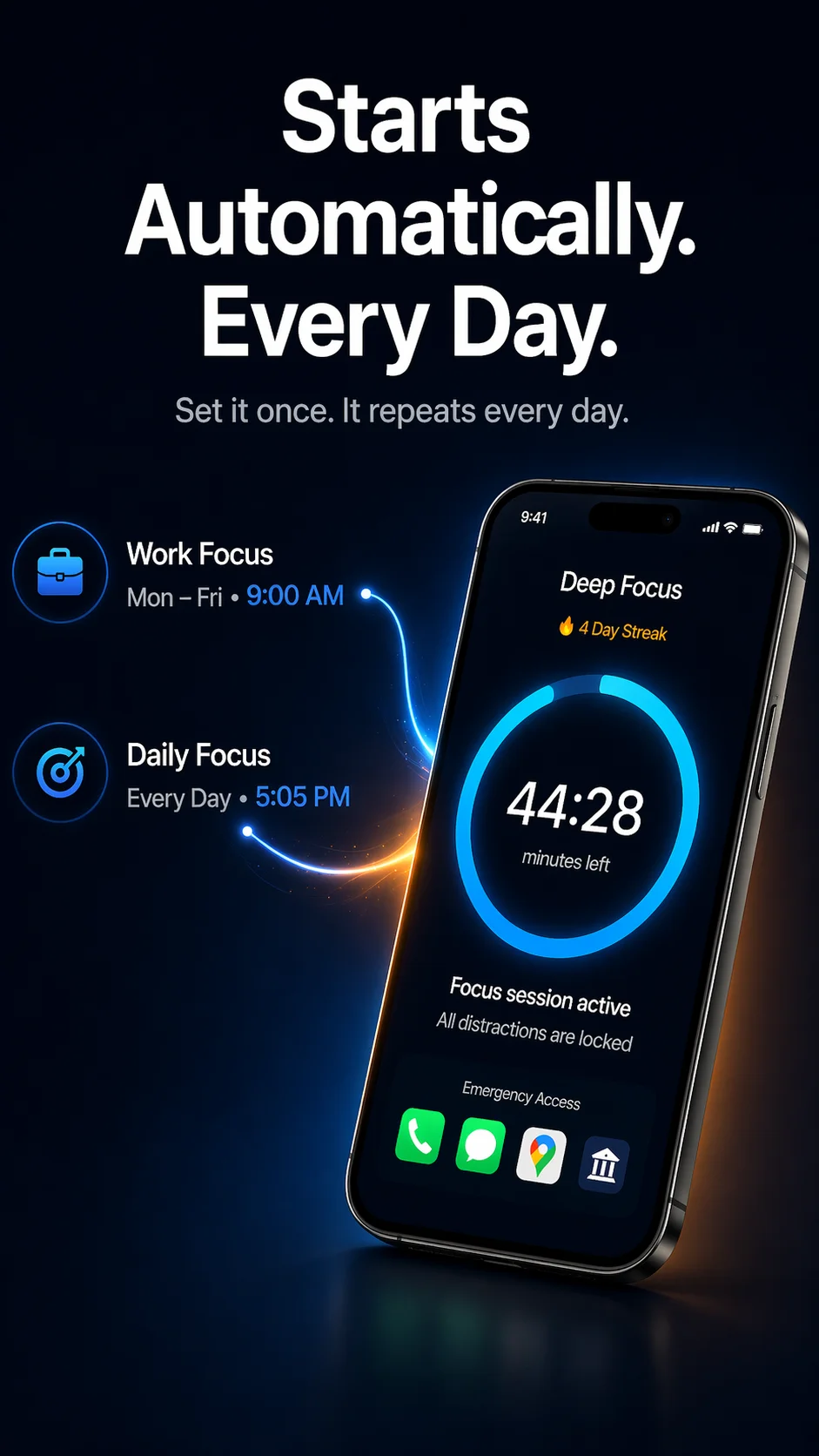
FocusPort scheduled sessions and active focus timer
Auto-Schedule & Active Timer
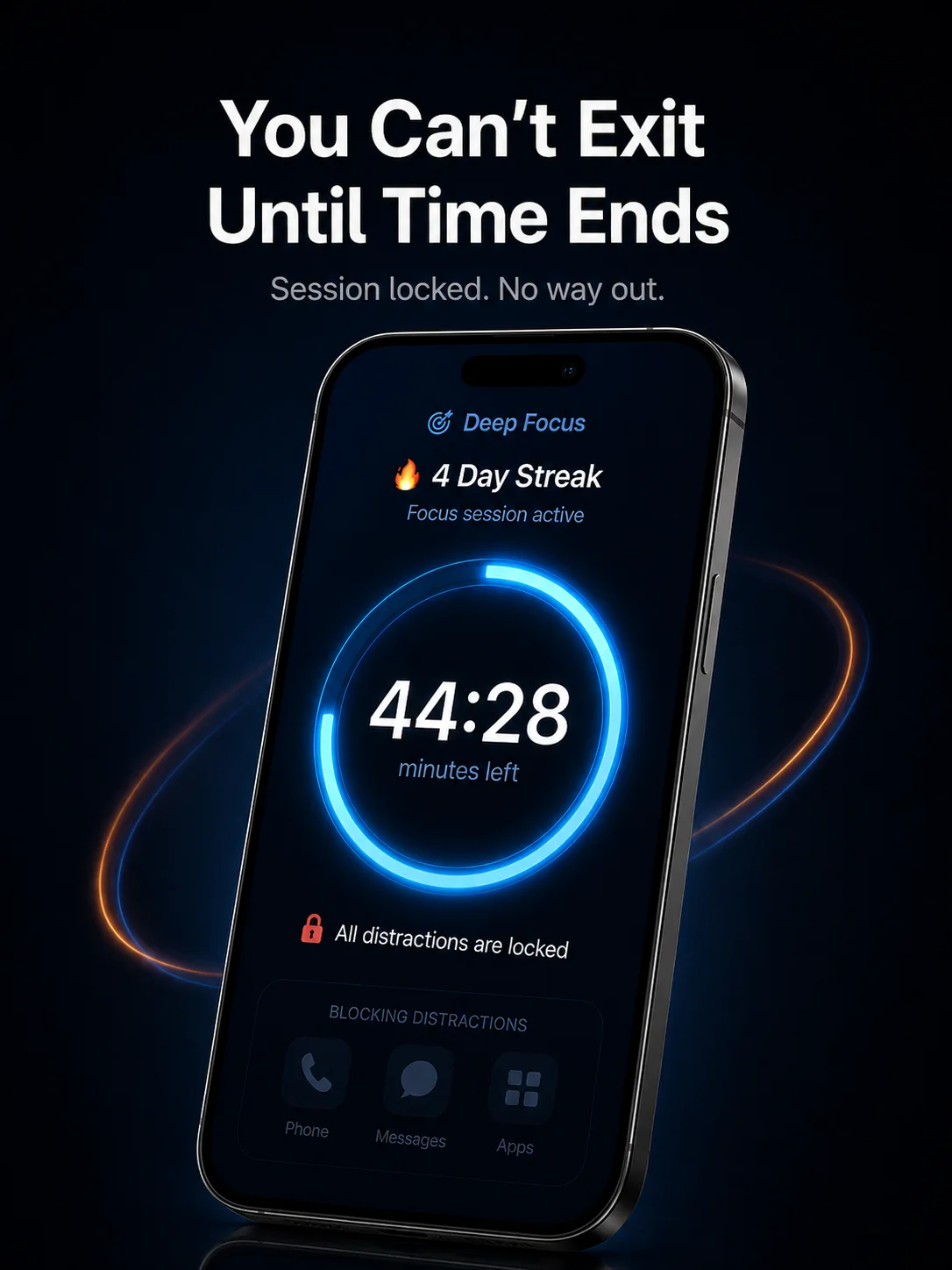
FocusPort lock screen - cannot exit during session
Locked — No Way Out
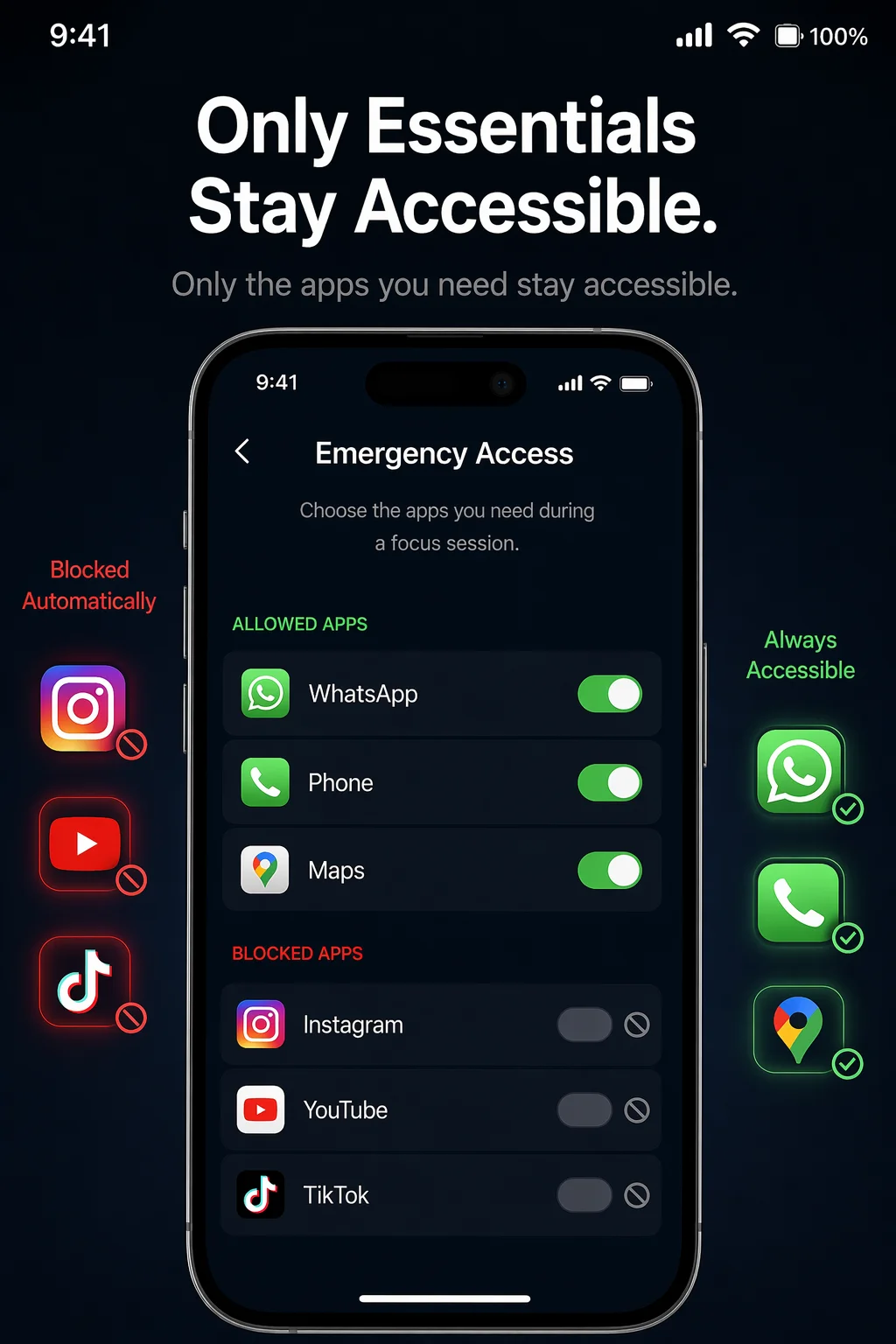
FocusPort emergency app whitelist settings
Emergency App Whitelist
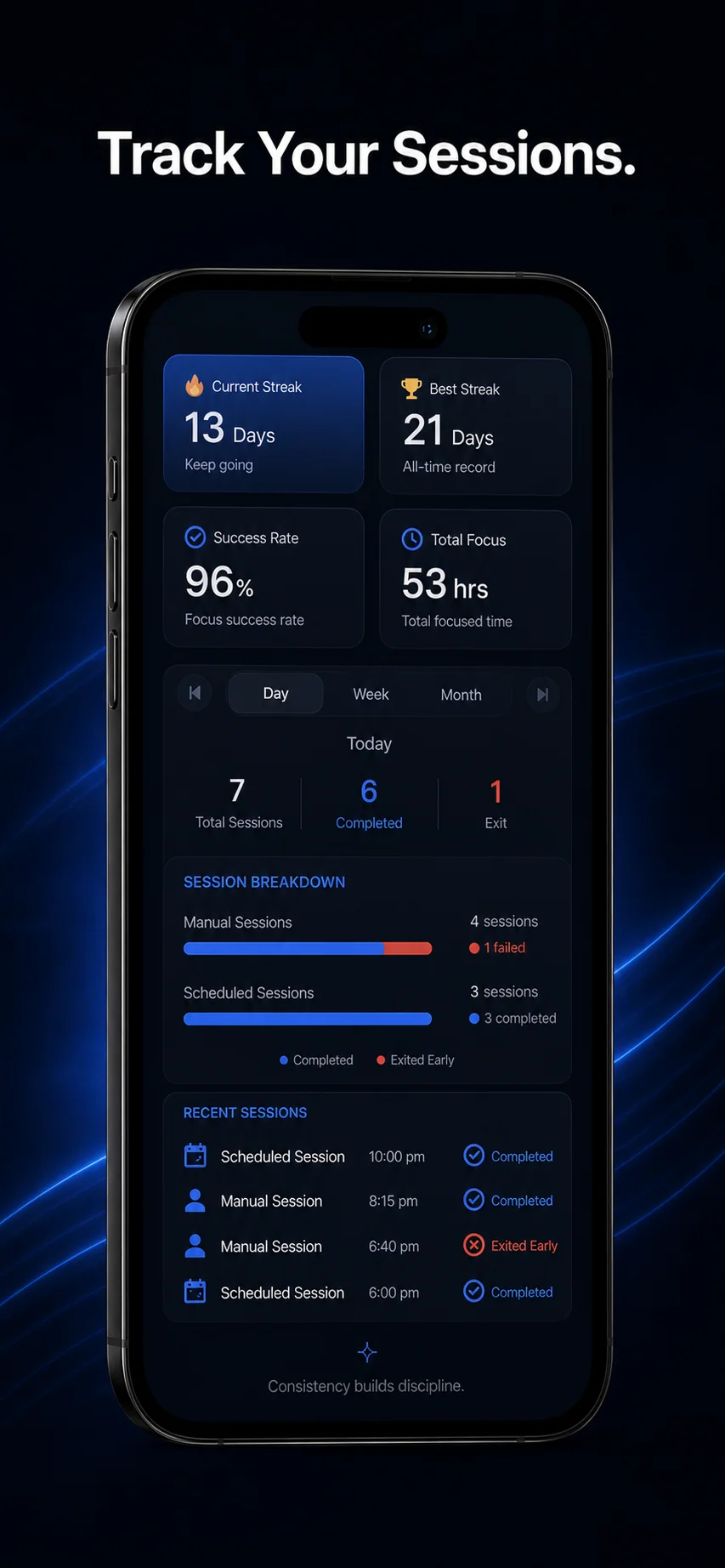
FocusPort session history and streak tracking
Track Sessions & Streaks

Ready to actually focus?

▶ Download FocusPort — Free

THREE STEPS.

Start your first session in under 60 seconds.

01

Set Your Duration

Pick 15 minutes or 3 hours. Choose your difficulty level. Tap Start — your distracting apps lock instantly.

02

Distractions Are Blocked

You can't switch to Instagram, YouTube, TikTok, or any app you've selected. Only your emergency apps stay accessible.

03

Time Ends. Streak Grows.

Session complete — your streak grows. If you quit early, the streak breaks. Simple, honest accountability.

🎯 Deep Focus
44:28
minutes left
🔥 4 Day Streak
All distractions locked

HOW IT ACTUALLY STOPS YOU.

No magic. Just Android permissions used responsibly.

🔧
Uses Android Accessibility Service — to detect when you try to switch apps during a session. This is how it blocks Instagram, YouTube, TikTok, and any app you choose.
🔒
Blocks selected apps during sessions — not your whole phone. Calls, messages, and apps you whitelist stay available. Everything else waits until the timer ends.
⚠️
Emergency exit exists, but it breaks your streak — long-press for 5 seconds to exit. It's there if you genuinely need it, but it's not a casual escape hatch.
📅
Scheduled sessions use Exact Alarm permission — so your focus sessions start on time, every time. No manual tapping needed.

EVERYTHING YOU NEED.

🔒

Blocks Distracting Apps

Instagram, YouTube, TikTok, Twitter — any app you choose gets blocked during sessions. No shortcuts, no back-gesture escape.

🚨

Emergency App Whitelist

Keep Phone, WhatsApp, Maps, and any essential app accessible. Real life doesn't pause — but distractions do.

📅

Scheduled Sessions

Set it once. FocusPort starts automatically at your chosen times — mornings, afternoons, every weekday. You just show up.

🔥

Streak Tracking

Complete sessions build your streak. Quit early and it resets. No pretending. Just honest progress you can see.

📊

Session History

See every session — completed and exited. Spot patterns, track improvement, know exactly where your time goes.

📶

Works Offline

No internet needed. All blocking happens on your device. Your data stays local unless you opt into Google Sign-In for sync.

OTHER APPS LET YOU CHEAT.

Most "focus" apps have a bypass. A "disable for 5 minutes" button. Your brain finds it every time.

Other focus apps

"Disable for 5 minutes" option
Easy bypass through settings
Notifications still sneak through
No real accountability

FocusPort

No exit until timer ends
Accessibility-level blocking
Emergency apps whitelisted by you
Streak breaks if you quit early

QUESTIONS?
ANSWERED.

Correct. Once a session starts, FocusPort uses Android's Accessibility Service to detect and block attempts to switch to blocked apps. The only way out is to long-press the exit button for 5 full seconds — and doing so marks your session as incomplete and breaks your streak.
Yes. You choose which apps to block. Instagram, YouTube, TikTok, Twitter, Reddit — any app on your phone can be added to the blocked list. During a session, they're completely inaccessible.
Not easily. Unlike other focus apps that let you disable them from settings, FocusPort uses Accessibility Service-level blocking. The only way out is the 5-second emergency exit — which breaks your streak. There's no "just this once" button.
Forest uses gamification and guilt (killing a tree). FocusPort uses actual blocking — you physically cannot open the apps you've blocked. Forest lets you exit anytime; FocusPort doesn't. Different approaches for different needs.
Yes. All blocking happens on your device. No internet connection needed for sessions to work. Google Sign-In is optional and only used if you want to sync your streak across devices.
Definitely. Students are one of our main user groups. Block social media during study sessions, set automatic focus times during lectures, and track your study streaks. The emergency whitelist keeps Phone and campus apps accessible.
The Emergency App whitelist is designed for this. Before any session, add apps you might genuinely need — Phone, WhatsApp, Maps, banking apps. Those stay fully accessible. Everything else is blocked until time ends.
Yes — core focus locking, 2 emergency app slots, and 1 scheduled session are completely free. Premium unlocks more emergency slots, additional schedules, and longer session options.
FocusPort needs Accessibility Service (to detect app switching and block it), Device Admin (to prevent uninstalling during sessions), and Exact Alarm (for scheduled sessions). These are necessary for real blocking — apps that ask for fewer permissions can be easily bypassed.

STOP
SCROLLING.
START.

Your next focus session is 10 seconds away. Free on Google Play.