Home Features For Students For Professionals Blog FAQ β–Ά Install from Google Play
FocusPort app logo
πŸ”’ Free on Google Play

Stop scrolling and stay focused with the ultimate focus app & app blocker.

FocusPort is a completely free app blocker that helps you stay focused by locking distracting apps until your timer ends. Beat phone addiction, stop doomscrolling, eliminate distractions, and boost your productivityβ€”all with no subscriptions or hidden fees.

No bypasses. No "5 more minutes." No fake discipline.

Download on Google Play See the app β†’
100%
Distractions Blocked
0
Easy Bypasses
Android
Native App
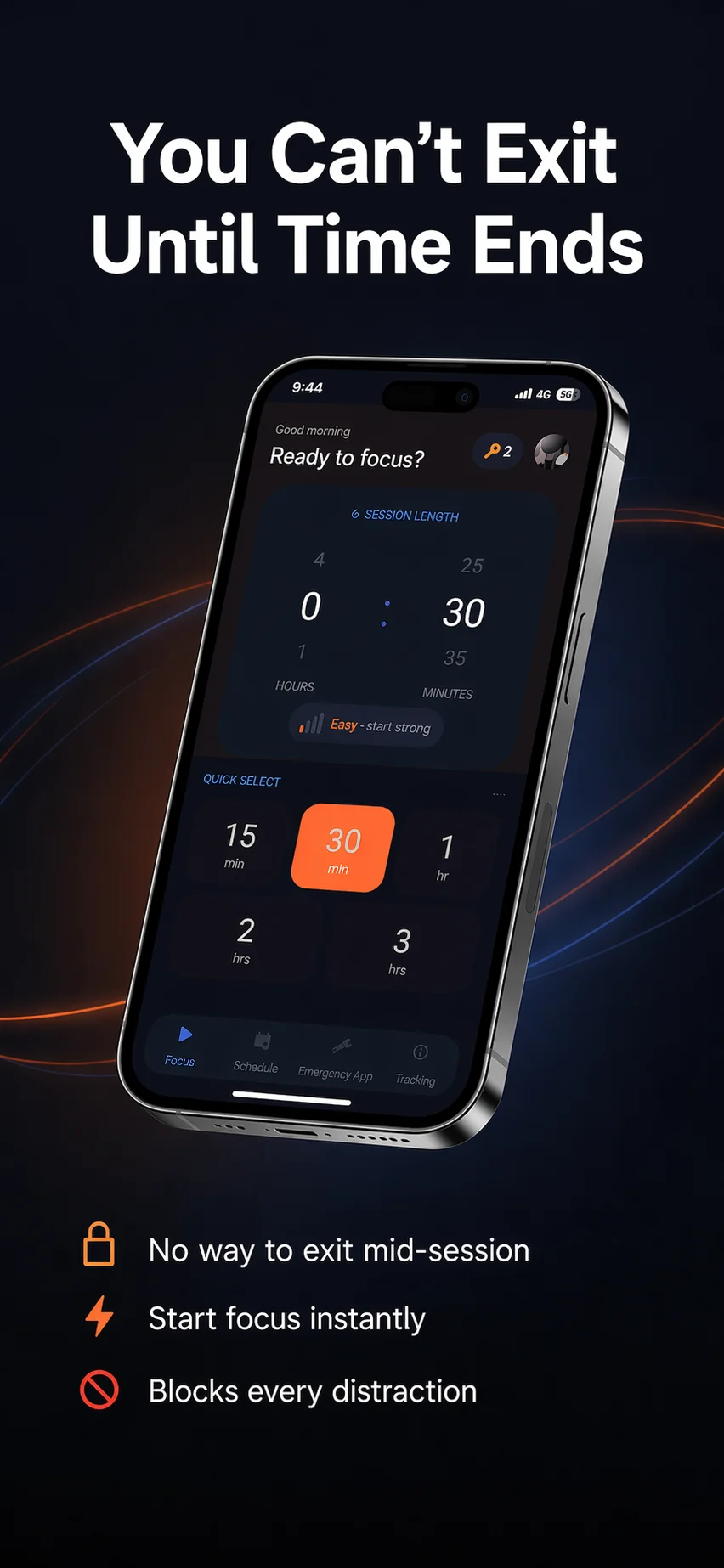
SEE THE APP.

Here's exactly what FocusPort looks like β€” from setup to locked session to tracking.

FocusPort home screen - set session length and start focusing
Home β€” Set Your Session
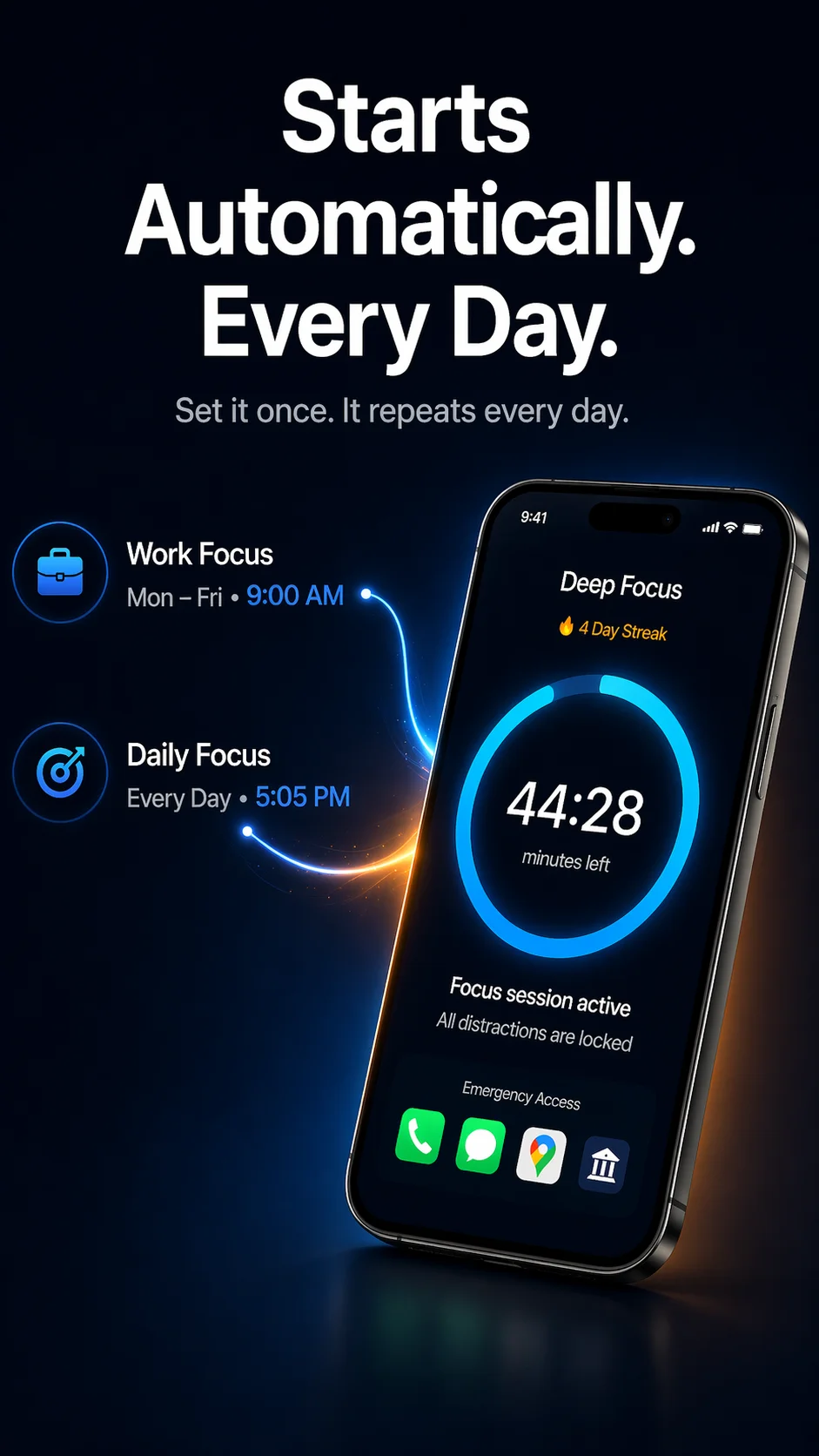
FocusPort scheduled sessions and active focus timer
Auto-Schedule & Active Timer
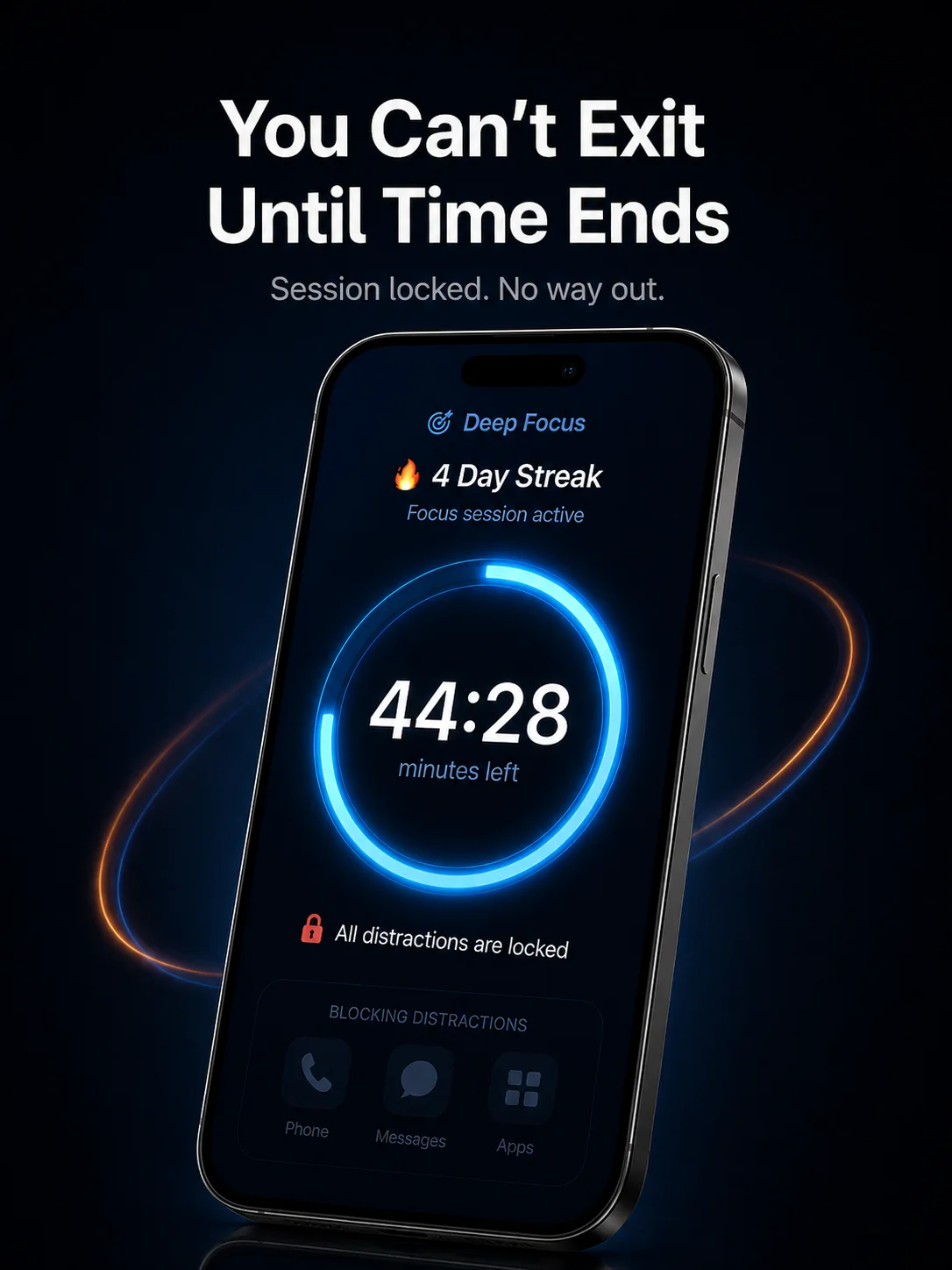
FocusPort lock screen - cannot exit during session
Locked β€” No Way Out
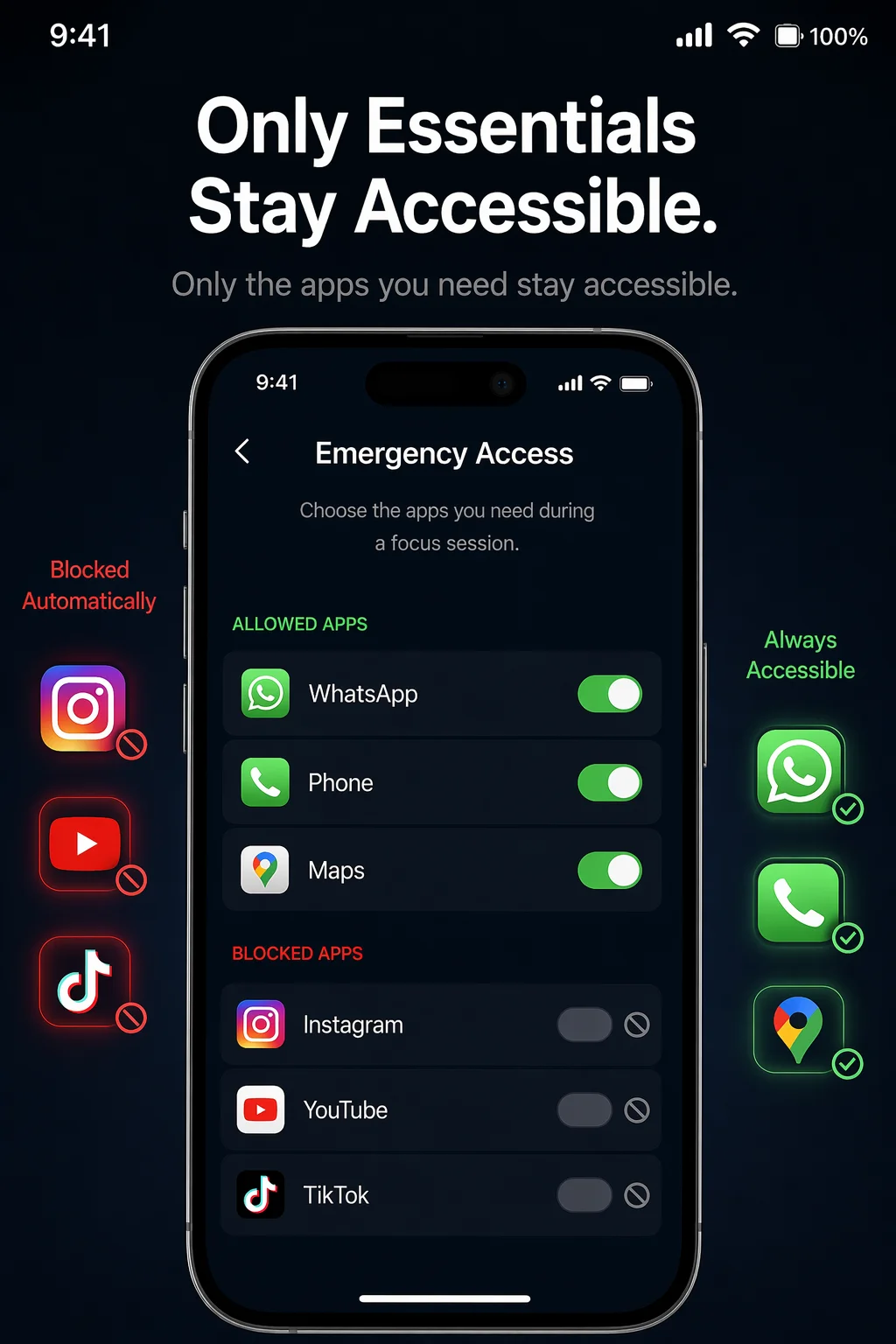
FocusPort emergency app whitelist settings
Emergency App Whitelist
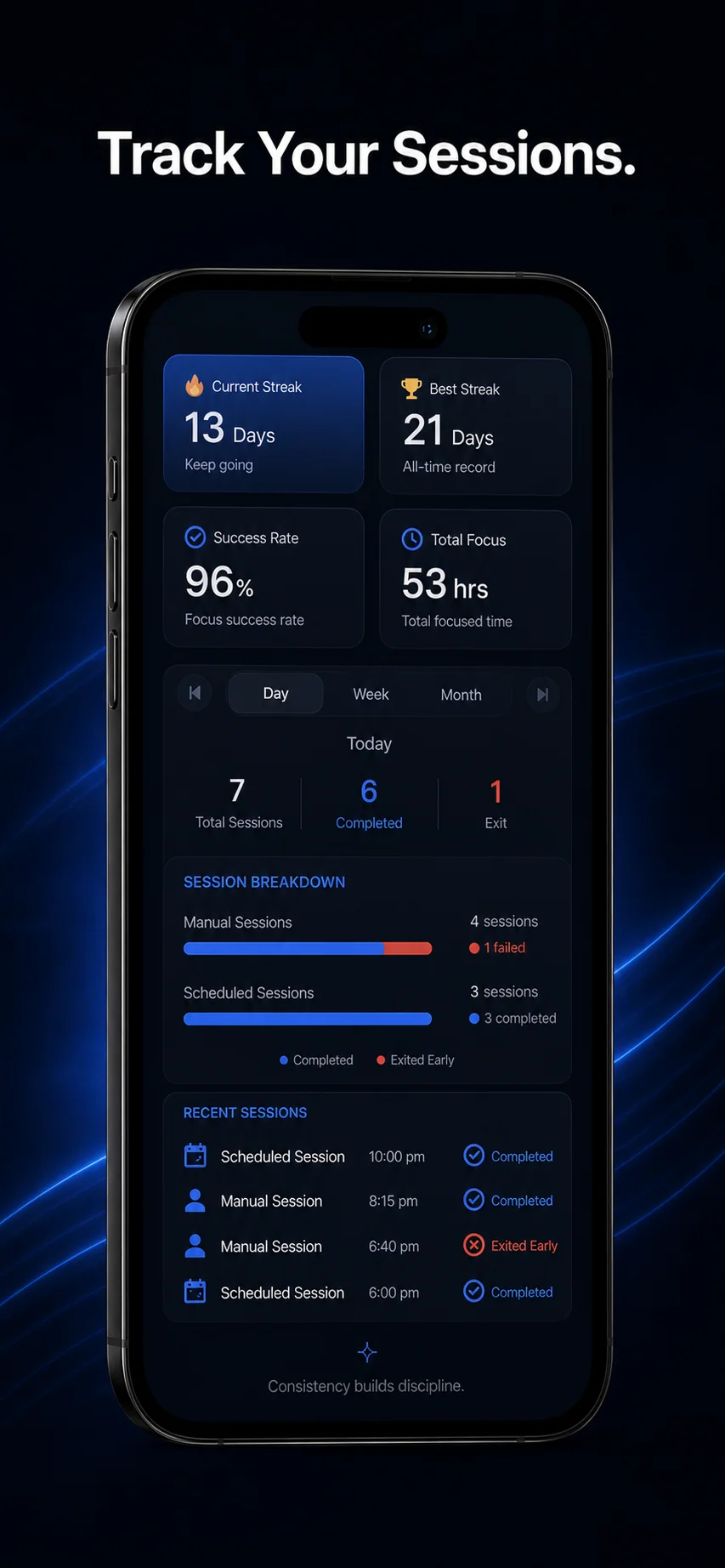
FocusPort session history and streak tracking
Track Sessions & Streaks

Ready to actually focus?

β–Ά Download FocusPort β€” Free

THREE STEPS.

Start your first session in under 60 seconds.

01

Set Your Duration

Choose your focus session duration and difficulty in this self control app. Start the timer, and your distracting apps lock instantly.

02

Distractions Are Blocked

Our strict app lock prevents you from opening Instagram, YouTube, TikTok, or Reddit. Keep only essential apps whitelisted.

03

Time Ends. Streak Grows.

Build your digital wellbeing as your focus streak grows. If you bypass early, your streak breaks. Simple, honest time management.

🎯 Deep Focus
44:28
minutes left
πŸ”₯ 4 Day Streak
All distractions locked

HOW IT ACTUALLY STOPS YOU.

No magic. Just Android permissions used responsibly.

πŸ”§
Uses Android Accessibility Service β€” to detect when you try to switch apps during a session. This is how it blocks Instagram, YouTube, TikTok, and any app you choose.
πŸ”’
Blocks selected apps during sessions β€” not your whole phone. Calls, messages, and apps you whitelist stay available. Everything else waits until the timer ends.
⚠️
Emergency exit exists, but it breaks your streak β€” long-press for 5 seconds to exit. It's there if you genuinely need it, but it's not a casual escape hatch.
πŸ“…
Scheduled sessions use Exact Alarm permission β€” so your focus sessions start on time, every time. No manual tapping needed.

EVERYTHING YOU NEED.

πŸ”’

Unbreakable Focus Lock

FocusPort completely blocks distracting apps until your session ends. No shortcuts or easy bypassesβ€”only your essential whitelist apps stay accessible.

🚨

Emergency App Whitelist

Keep Phone, WhatsApp, Maps, and any essential app accessible. Real life doesn't pause β€” but distractions do.

πŸ“…

Scheduled Sessions

Set it once. FocusPort starts automatically at your chosen times β€” mornings, afternoons, every weekday. You just show up.

πŸ”₯

Streak Tracking

Complete sessions build your streak. Quit early and it resets. No pretending. Just honest progress you can see.

πŸ“Š

Session History

See every session β€” completed and exited. Spot patterns, track improvement, know exactly where your time goes.

πŸ“Ά

Works Offline

No internet needed. All blocking happens on your device. Your data stays local unless you opt into Google Sign-In for sync.

OTHER APPS LET YOU CHEAT.

Most "focus" apps have a bypass. A "disable for 5 minutes" button. Your brain finds it every time.

Other focus apps

❌ "Disable for 5 minutes" option
❌ Easy bypass through settings
❌ Notifications still sneak through
❌ No real accountability

FocusPort

βœ… No exit until timer ends
βœ… Accessibility-level blocking
βœ… Emergency apps whitelisted by you
βœ… Streak breaks if you quit early

STOP
SCROLLING.
START.

Your next focus session is 10 seconds away. Free on Google Play.